

Kwiqreply
In one line: Connect Kwiqreply so your UnleashX agent can send rich WhatsApp messages (text, link previews, reply buttons, and interactive lists) and read or write your UnleashX datasource records in the same flow.
1. Overview
Kwiqreply is a WhatsApp messaging gateway that lets businesses send rich, interactive WhatsApp messages — plain text, link previews, reply-button menus, and selectable lists — through a single API. Once connected to UnleashX, your agent can send all of those message types to your customers, and also read and write records in your UnleashX datasource objects — so a single request can both message a customer and log or update the related record. Connecting Kwiqreply to UnleashX is ideal for conversational workflows: present a customer with button or list choices over WhatsApp, then record their details or look up their status against your UnleashX data — all driven by natural language.2. What you’ll need
- A Kwiqreply account with WhatsApp messaging enabled.
- Your Kwiqreply API token (the bearer token used to authenticate with the Kwiqreply gateway).
- An UnleashX account with the datasource objects you want to read from or write to (each has an
object_id).
If you don’t have access to your company’s Kwiqreply token, ask your Kwiqreply account admin to generate or share it. You won’t be able to send messages without it.
3. Get your credentials
Kwiqreply authenticates with a single API token (a bearer token). You’ll get it from your Kwiqreply dashboard.1
Sign in to Kwiqreply
Go to app.kwiqreply.io and sign in to your account.
2
Open API / Developer settings
In the dashboard, open the API / Developers / Settings area where your access token is shown.
3
Generate or copy your API token
Copy the API token (used as
Authorization: Bearer <token> for the messaging endpoint).The datasource tools (Get List Data, Insert Datasource, Get Datasource, Update Datasource) read and write your UnleashX objects. These calls use UnleashX’s own platform token — you don’t supply a separate key for them.
4. Connect on UnleashX
1
Open your agent
Sign in at https://www.tryunleashx.com and open the agent you want to connect.
2
Go to Data Connectors
Open Data Connectors inside the agent.
3
Find Kwiqreply and Configure
Locate Kwiqreply and click Connect / Add / Configure.
4
Paste your API token
Enter your Kwiqreply API token from Section 3 and save.
5
Confirm it's connected
The connector shows a Connected badge once your token is accepted. You’re ready to send.
Use Kwiqreply in a Workflow
Once connected, you can add Kwiqreply to any automation from the Workflows builder. Its triggers and tools appear in the Apps panel, marked with an MCP badge.1
Add a trigger node
Open Workflows → New Workflow. On the canvas, click + Add Trigger. In the Paths panel, open the Apps tab and select Kwiqreply — its Triggers are listed underneath. Use the search box if you have many connectors.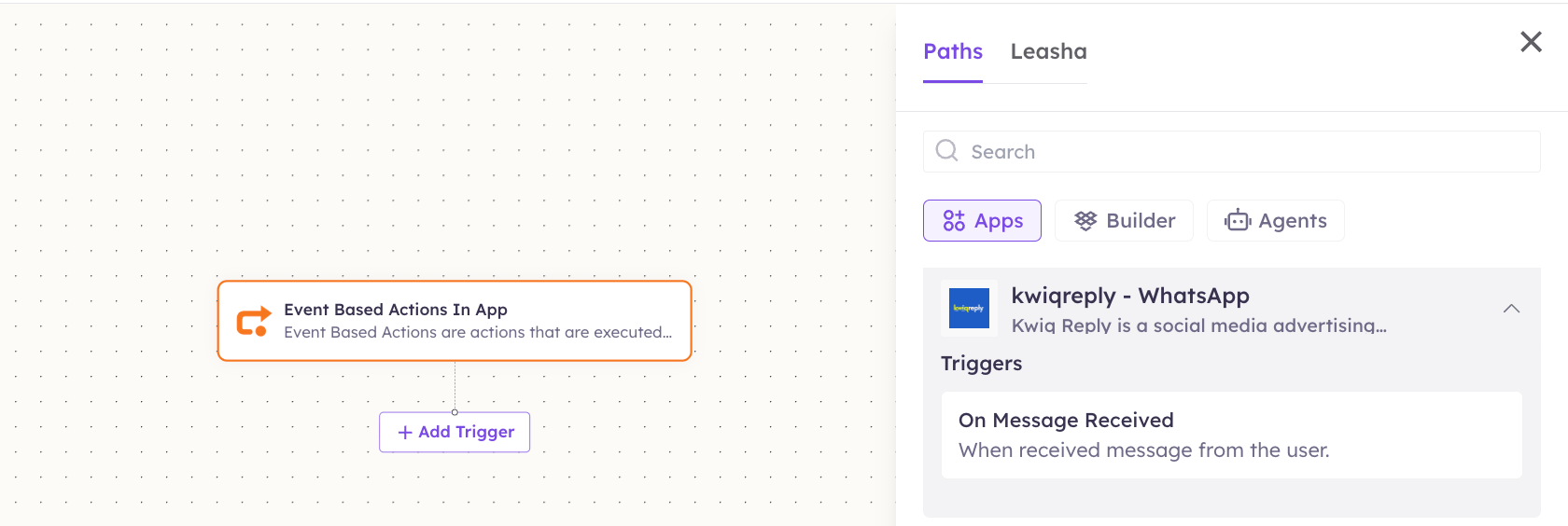
2
Add an action node
Click the + below any node to add a step, then pick Kwiqreply again — this time the panel lists its Actions.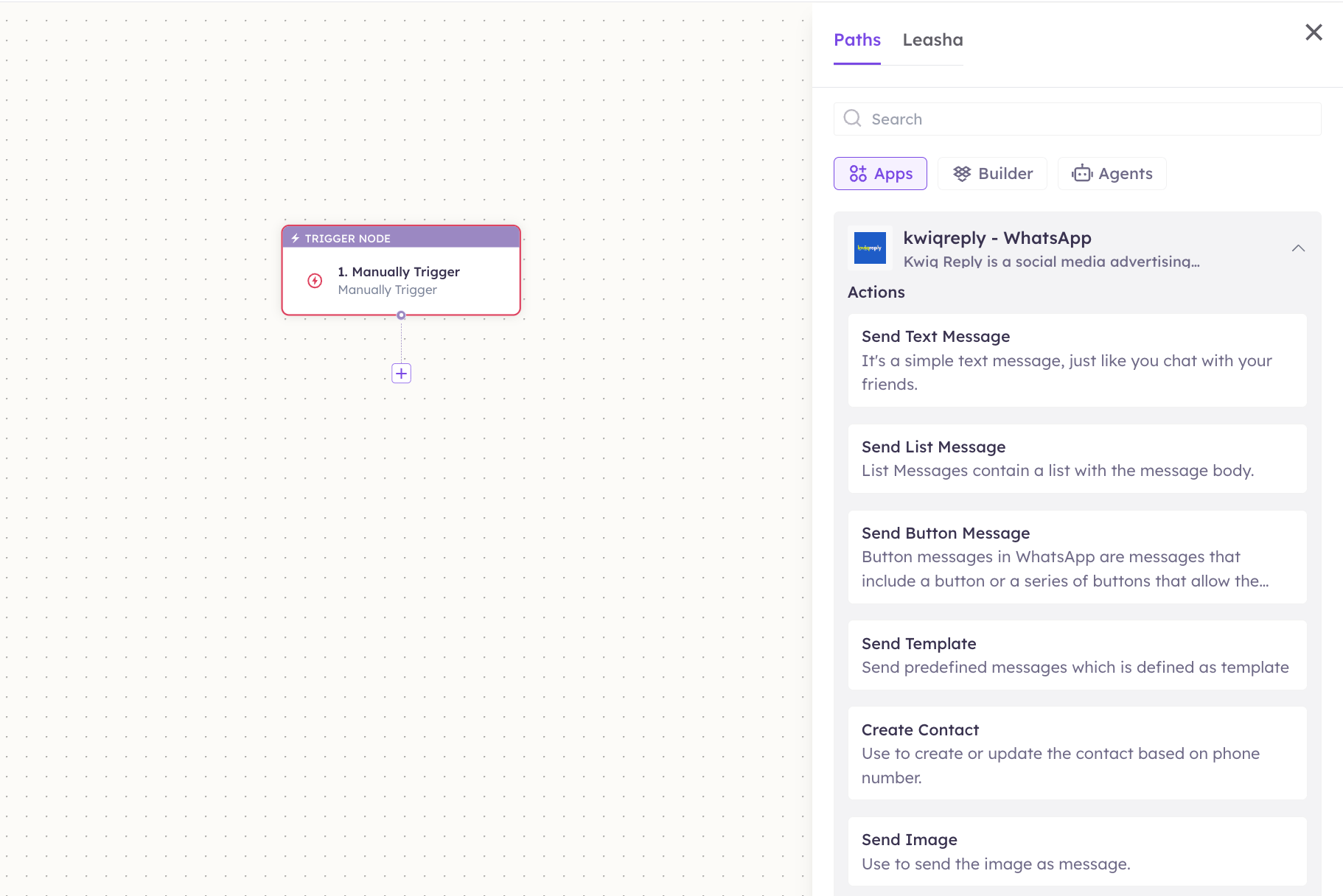
3
Configure the step
Fill in the fields for the trigger or action you picked. Required fields are marked with a red asterisk (*).
4
Add or select your account
Under Selected account, choose an already-connected account, or click Add Account to connect one now.
5
Save and test
Click Save. Use Test to verify the step, then toggle Publish when the workflow is ready.
The steps are the same for every connector. For the full workflow builder guide, see Using MCP in Workflows.
5. Available tools
6. Example usage
“Ask 9876543210 over WhatsApp whether they want Plan A, Plan B, or Plan C, with tappable buttons.” Behind the scenes: Send Button Message (three reply buttons). “Save this lead — name Priya, phone 98765 43210 — to our Leads object, then text her a welcome message.” Behind the scenes: Insert Datasource (write the record) → Send Text Message (welcome message).7. Permissions & data access
UnleashX CAN:- Send WhatsApp text, link-preview, reply-button, and interactive list messages via Kwiqreply.
- Read counts and records from your UnleashX datasource objects.
- Insert and update records in your UnleashX datasource objects.
- Delete records (no delete tool is exposed by this server).
- Send message types beyond those listed (e.g. media/templates are not part of this connector).
- Access Kwiqreply account settings or billing.
8. Troubleshooting
For general connector issues, see /mcp/integrations.
9. Frequently asked questions
Can this connector delete records? No. It can read (Get List Data, Get Datasource), insert (Insert Datasource), and update (Update Datasource) UnleashX records, but it exposes no delete operation. What’s the difference between text and list/button messages? Text messages are plain (optionally with a link preview). Button messages show up to 3 tappable reply buttons; list messages show a menu of selectable rows grouped into sections — useful for letting customers pick an option. How do I rotate my Kwiqreply token? Generate a new token in your Kwiqreply dashboard, then reconnect in UnleashX with the new value. Revoke the old one in Kwiqreply. Do the WhatsApp messages come from my own number? Yes — they’re sent through your Kwiqreply account, which is tied to your configured WhatsApp sender.10. References
- Kwiqreply: https://app.kwiqreply.io
- Kwiqreply website / docs: https://kwiqreply.io
- UnleashX dashboard: https://www.tryunleashx.com