

Google Forms
In one line: Connect Google Forms so your UnleashX agent can build forms, add questions, and read and manage submitted responses.
1. Overview
Google Forms is Google’s survey and intake-form service. Forms collect responses, which can also be linked to a Google Sheet. Once connected, your UnleashX agent can create forms, add text and multiple-choice questions, read form properties, list and read responses, and (via the linked response spreadsheet) update or delete response rows. It can also list your forms, spreadsheets, and sheets. Connecting Google Forms to UnleashX makes data collection actionable: spin up an intake form, pull the latest submissions into a workflow, or clean up response data — all from natural language.2. What you’ll need
1
A Google account with Forms
Any personal Google account or a Google Workspace account with Forms enabled.
2
Permission to grant access
You must be able to complete the Google sign-in and approve the requested permissions.
3
An UnleashX agent
An agent in your UnleashX workspace where you’ll add the Forms connector.
No admin access? On a managed Google Workspace account, your admin may need to allow UnleashX before authorization succeeds.
3. Get your credentials
Google Forms uses Google OAuth 2.0. You do not create or paste an API key. UnleashX redirects you to Google, you sign in once, and Google issues an access token to UnleashX automatically.1
Start the connection in UnleashX
In your agent’s Data Connectors, find Google Forms and click Connect (see Section 4).
2
Sign in with Google
Choose the Google account whose forms you want to connect.
3
Review and approve the requested scopes
Click Allow to grant access and return to UnleashX.
There is no key to copy. Access is granted by your Google sign-in and can be revoked anytime at your Google Account permissions page.
4. Connect on UnleashX
1
Open your agent
Sign in at https://www.tryunleashx.com and open your agent.
2
Go to Data Connectors
In the agent, open Data Connectors.
3
Find Google Forms and connect
Locate Google Forms and click Connect / Add / Configure.
4
Authorize with Google
Click Authorize, sign in with Google, and approve the requested permissions.
5
Confirm success
You’ll return to UnleashX and the connector status will show a Connected badge.
Use Google Forms in a Workflow
Once connected, you can add Google Forms to any automation from the Workflows builder. Its triggers and tools appear in the Apps panel, marked with an MCP badge.1
Add a trigger node
Open Workflows → New Workflow. On the canvas, click + Add Trigger. In the Paths panel, open the Apps tab and select Google Forms — its Triggers are listed underneath. Use the search box if you have many connectors.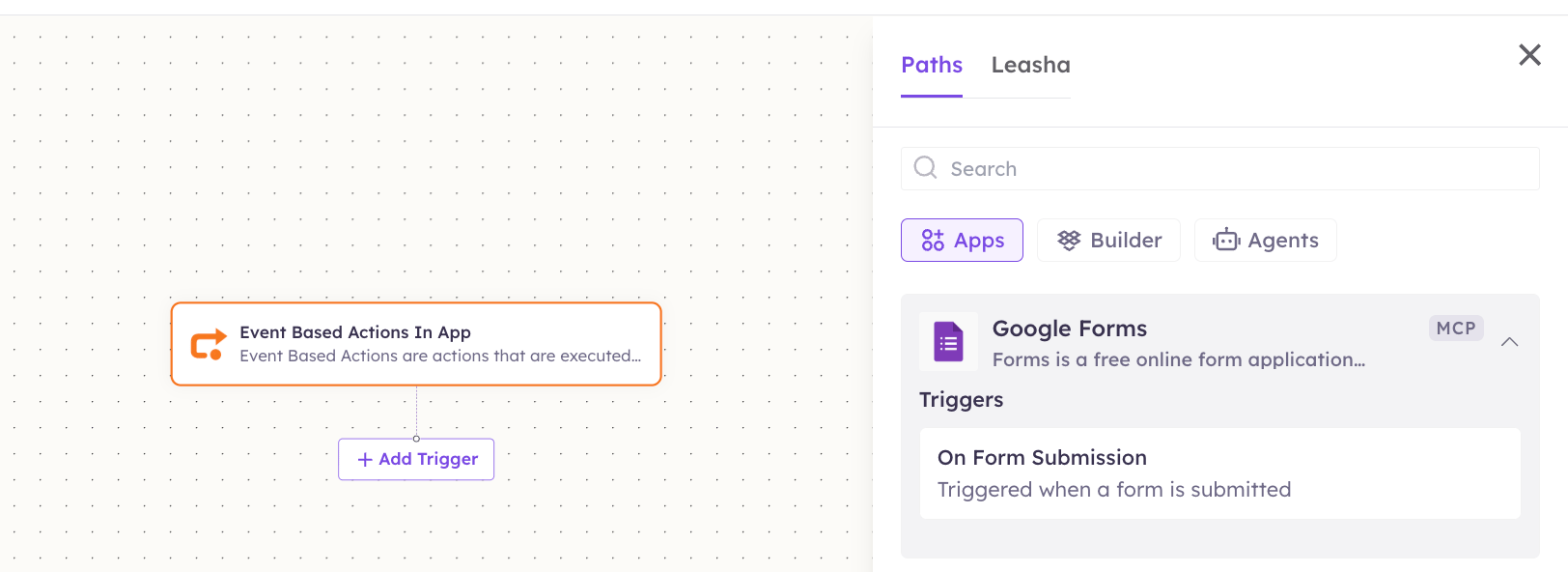
2
Add an action node
Click the + below any node to add a step, then pick Google Forms again — this time the panel lists its Actions.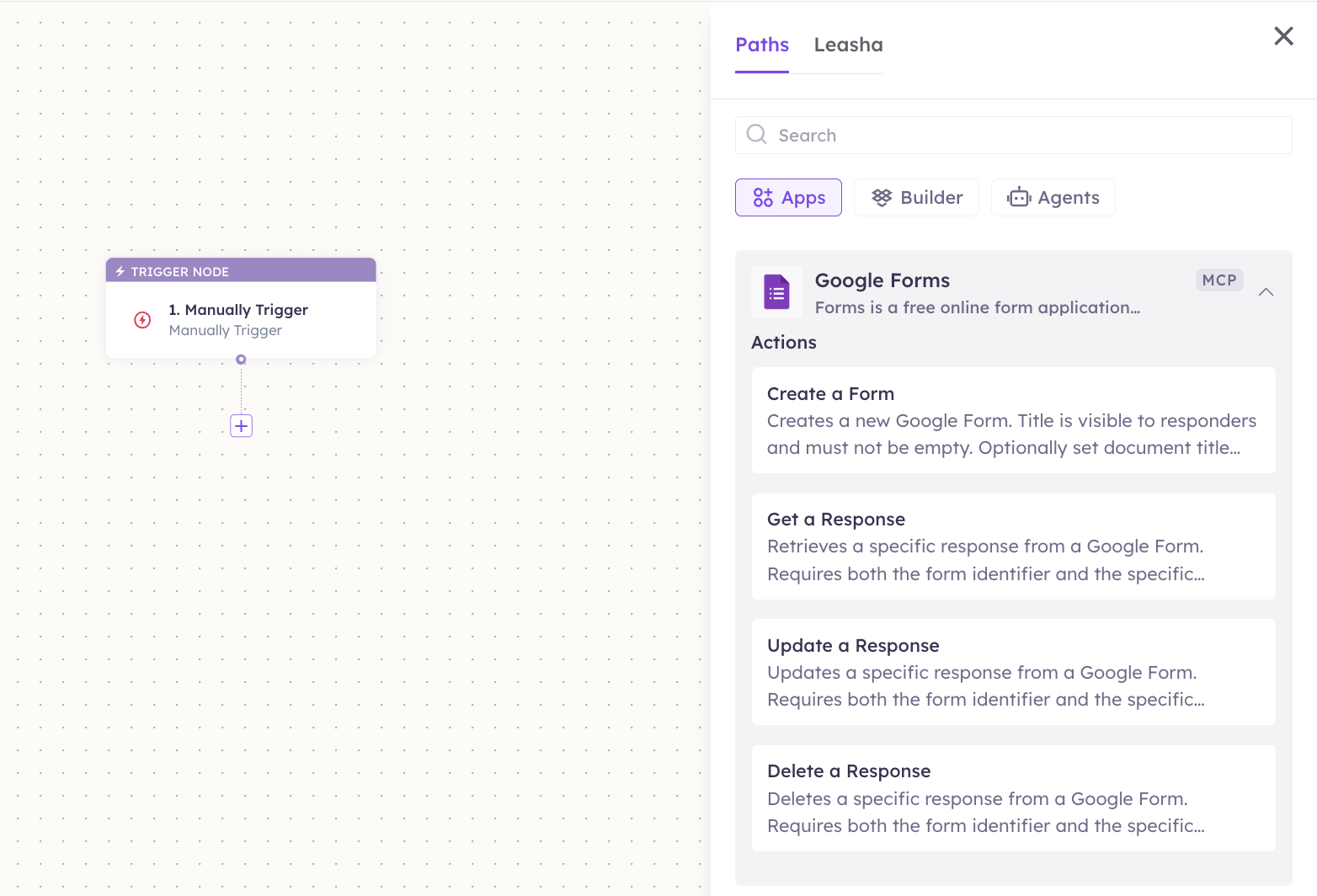
3
Configure the step
Fill in the fields for the trigger or action you picked. Required fields are marked with a red asterisk (*).
4
Add or select your account
Under Selected account, choose an already-connected account, or click Add Account to connect one now.
5
Save and test
Click Save. Use Test to verify the step, then toggle Publish when the workflow is ready.
The steps are the same for every connector. For the full workflow builder guide, see Using MCP in Workflows.
5. Available tools
6. Example usage
“Create a feedback form titled ‘Event Survey’ with a text question ‘What went well?’ and a multiple-choice rating question.” Runs Create Form, then Add Text Question and Add Multiple Choice Question.
“Show me the latest responses to the Event Survey.” Runs List Forms to find the form, then List Responses.
7. Permissions & data access
UnleashX can:- Create forms and add text and multiple-choice questions.
- Read form properties, columns, and submitted responses.
- Update or delete response rows in the linked response spreadsheet.
- Delete forms, and list forms, spreadsheets, and sheets.
- Access Gmail, Calendar, or other Google services unless connected separately.
- Change your Google account settings or password.
- Act on forms you don’t have access to.
access-token header, a google_form_access_token header, or an Authorization: Bearer header, falling back to your UnleashX session), refreshed automatically when it expires.
8. Troubleshooting
For general connector issues, see /mcp/integrations.