

Brevo
In one line: Connect Brevo so UnleashX can manage contacts, companies and deals, track events, and send transactional emails and SMS straight from a conversation or automation.
1. Overview
Brevo (formerly Sendinblue) is an all-in-one marketing and CRM platform for managing contacts, running email and SMS campaigns, and tracking a simple sales pipeline of companies and deals. Once connected to UnleashX, your agent can add or update a contact after a call, attach them to a company, open or progress a deal, fire a tracking event, or send a transactional email or SMS — all without anyone touching the Brevo dashboard. Connecting Brevo to UnleashX turns conversations into clean CRM data and instant follow-up messages, so leads get captured and contacted while they’re still warm.2. What you’ll need
- A Brevo account (the free plan includes API access).
- A verified sender if you plan to send transactional email.
- Permission to create an API key (account owner or a user with API access).
No admin access? Ask your Brevo account owner to generate an API key and share it with you. The key is all UnleashX needs.
3. Get your credentials
UnleashX authenticates to Brevo with an API key.1
Open API keys
In Brevo, click your account name (top-right) → SMTP & API, then the API Keys tab:
https://app.brevo.com/settings/keys/api2
Generate a new key
Click Generate a new API key, give it a name like “UnleashX”, and confirm.
3
Copy the key
Copy the key immediately.
4
(For email) verify a sender
If you’ll send email, go to Senders, Domains & Dedicated IPs and verify the sender address you’ll use as the “from” email.
A Brevo API key is account-wide — it isn’t scoped per feature. Only share it with tools you trust.
4. Connect on UnleashX
1
Open your agent
Sign in at https://www.tryunleashx.com and open the agent you want to connect.
2
Find Brevo
Go to Data Connectors and find Brevo.
3
Connect
Click Connect / Add / Configure and paste your Brevo API key.
4
Confirm
Save. The status will switch to a Connected badge.
Use Brevo in a Workflow
Once connected, you can add Brevo to any automation from the Workflows builder. Its triggers and tools appear in the Apps panel, marked with an MCP badge.1
Add a trigger node
Open Workflows → New Workflow. On the canvas, click + Add Trigger. In the Paths panel, open the Apps tab and select Brevo — its Triggers are listed underneath. Use the search box if you have many connectors.
2
Add an action node
Click the + below any node to add a step, then pick Brevo again — this time the panel lists its Actions.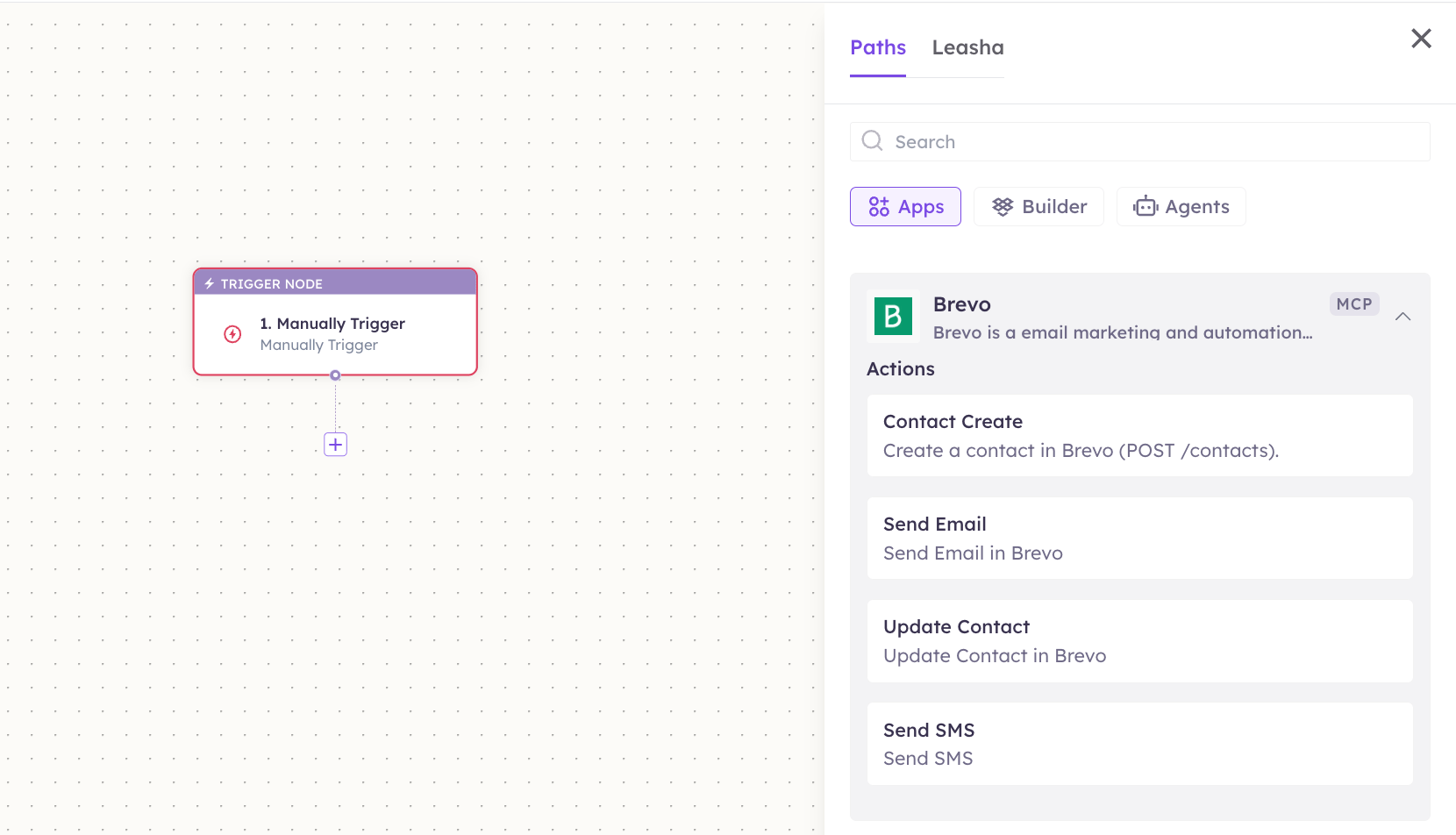
3
Configure the step
Fill in the fields for the trigger or action you picked. Required fields are marked with a red asterisk (*).
4
Add or select your account
Under Selected account, choose an already-connected account, or click Add Account to connect one now.
5
Save and test
Click Save. Use Test to verify the step, then toggle Publish when the workflow is ready.
The steps are the same for every connector. For the full workflow builder guide, see Using MCP in Workflows.
5. Available tools
6. Example usage
“Add raj@acme.com as a contact, then send him a welcome email from hello@mycompany.com.” Runs Create Contact, then Send Email. “Create a deal called ‘Acme renewal’ worth 50000 INR and link it to contact raj@acme.com.” Runs Add Deal with the amount andcontact_search set to the email so it links the contact automatically.
7. Permissions & data access
UnleashX can:- Create, read, update and delete contacts, companies and deals.
- Manage list membership and CRM associations.
- Send transactional email and SMS, and track events.
- Access Brevo data the API key’s account can’t access.
- Send email from an unverified sender address.
- Change your Brevo billing or account settings.
8. Troubleshooting
For general connector issues, see /mcp/integrations.
9. Frequently asked questions
Is my Brevo data stored by UnleashX? No. Tools call the Brevo API live and return the result. UnleashX doesn’t keep a copy of your contacts or campaigns. Can I send marketing campaigns through this? These tools cover transactional email/SMS and CRM records, not bulk campaign creation. Build campaigns in Brevo; use UnleashX for per-contact actions and messages. How do I rotate my key? Generate a new key in Brevo, reconnect in UnleashX, then delete the old key.10. References
- Brevo API getting started: https://developers.brevo.com/docs/getting-started
- API keys page: https://app.brevo.com/settings/keys/api
- Senders & verification: https://help.brevo.com/hc/en-us/articles/208836149