Integrate Twilio with UnleashX for Smarter Voice Automation
Enhance your voice workflows by connecting Twilio with UnleashX. Seamlessly manage inbound and outbound calls while maintaining full control over your telephony setup. Follow a simple setup process to link your Twilio account and unlock highly customizable calling experiences.What does Twilio integration mean in UnleashX?
Twilio is a globally trusted cloud communications platform, fully supported within UnleashX. By integrating Twilio, you can:- Initiate outbound calls using intelligent AI agents
- Handle inbound calls with automated, real-time responses
- Use your own Twilio account for complete ownership of numbers and infrastructure
Getting Started with Twilio in UnleashX
Make outbound calls Deploy UnleashX agents to place calls using your Twilio numbers. Handle incoming calls Receive calls on your Twilio numbers and let UnleashX agents respond instantly. Connect your Twilio account Easily link your existing Twilio account to start managing calls through UnleashX.Why Use Twilio with UnleashX?
Global Reach Connect with users across 100+ countries effortlessly. High Reliability Benefit from industry-leading uptime and superior call quality. Full Flexibility Continue using your existing Twilio setup without disruption. Advanced Capabilities Leverage Twilio’s rich feature set alongside UnleashX’s AI-driven automation.Securely Connect Your Twilio Account to UnleashX
Linking your Twilio account with UnleashX is quick and secure. Once connected, you can import your phone numbers and assign them to AI agents for both inbound and outbound calling.Step-by-Step Setup
1
Log in
Sign in to your UnleashX account.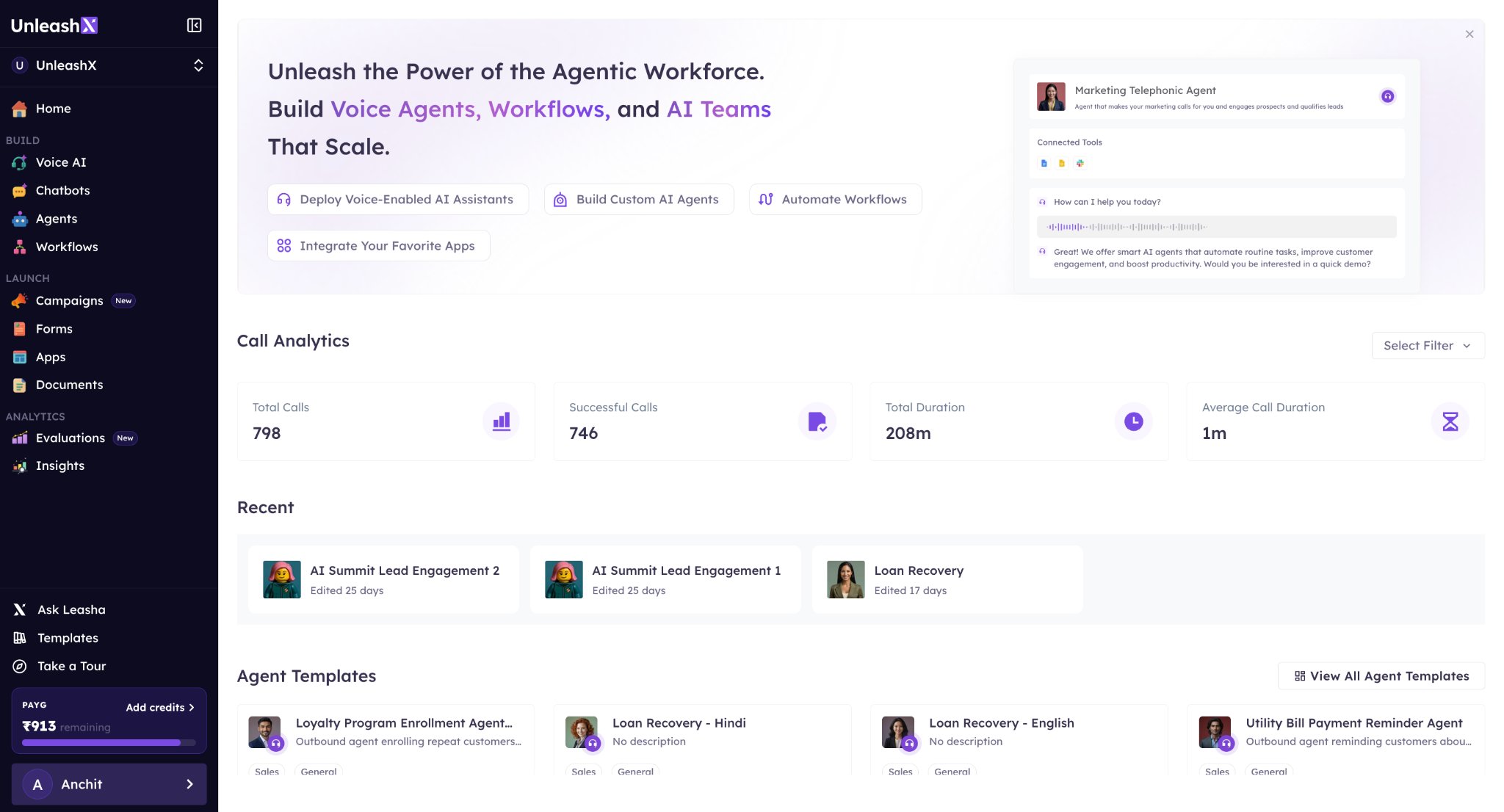
2
Navigate to Voice AI
From the sidebar, open the Voice AI section.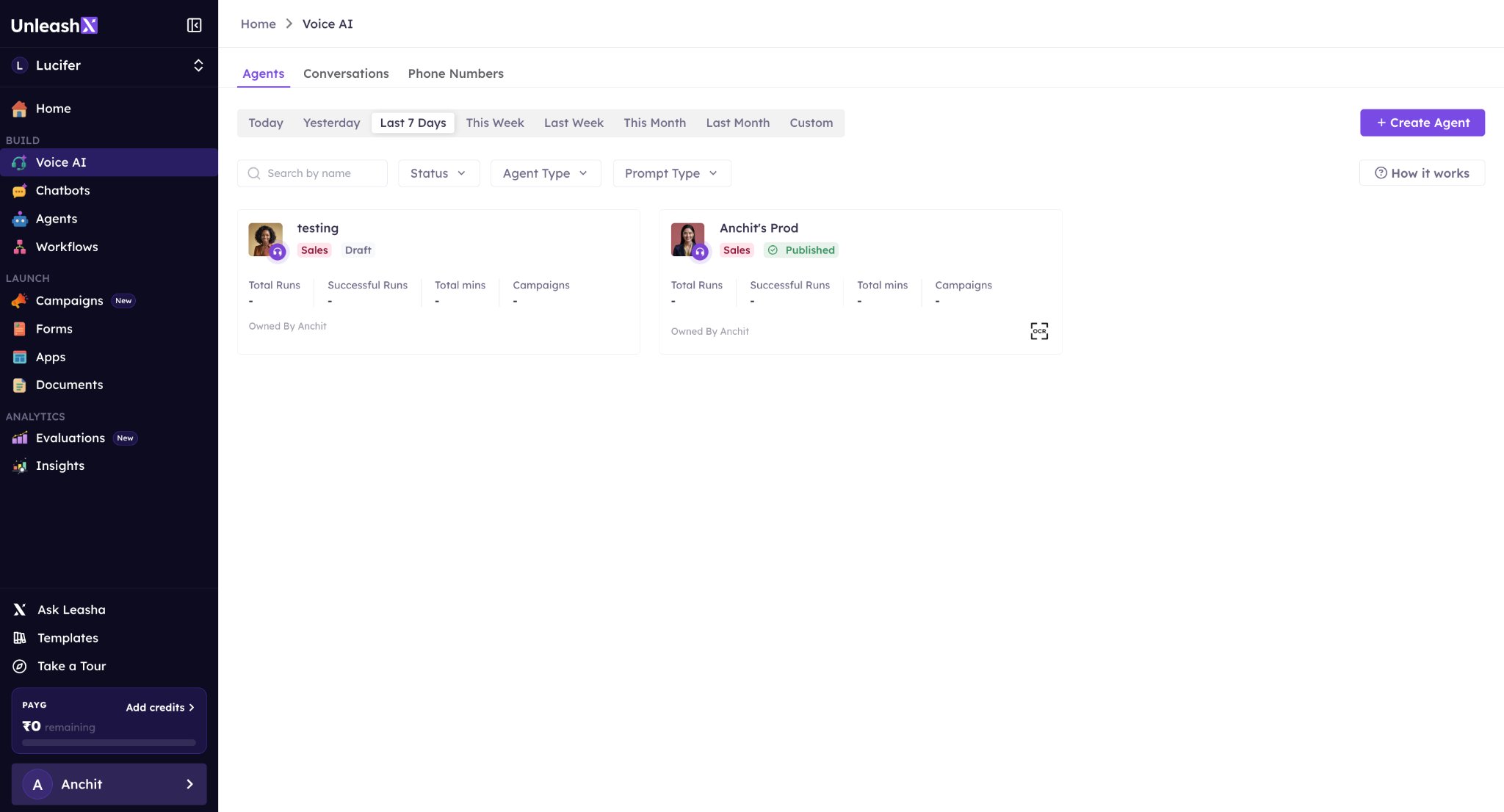
3
Open Phone Numbers
Go to the Phone Numbers tab from the top navigation bar.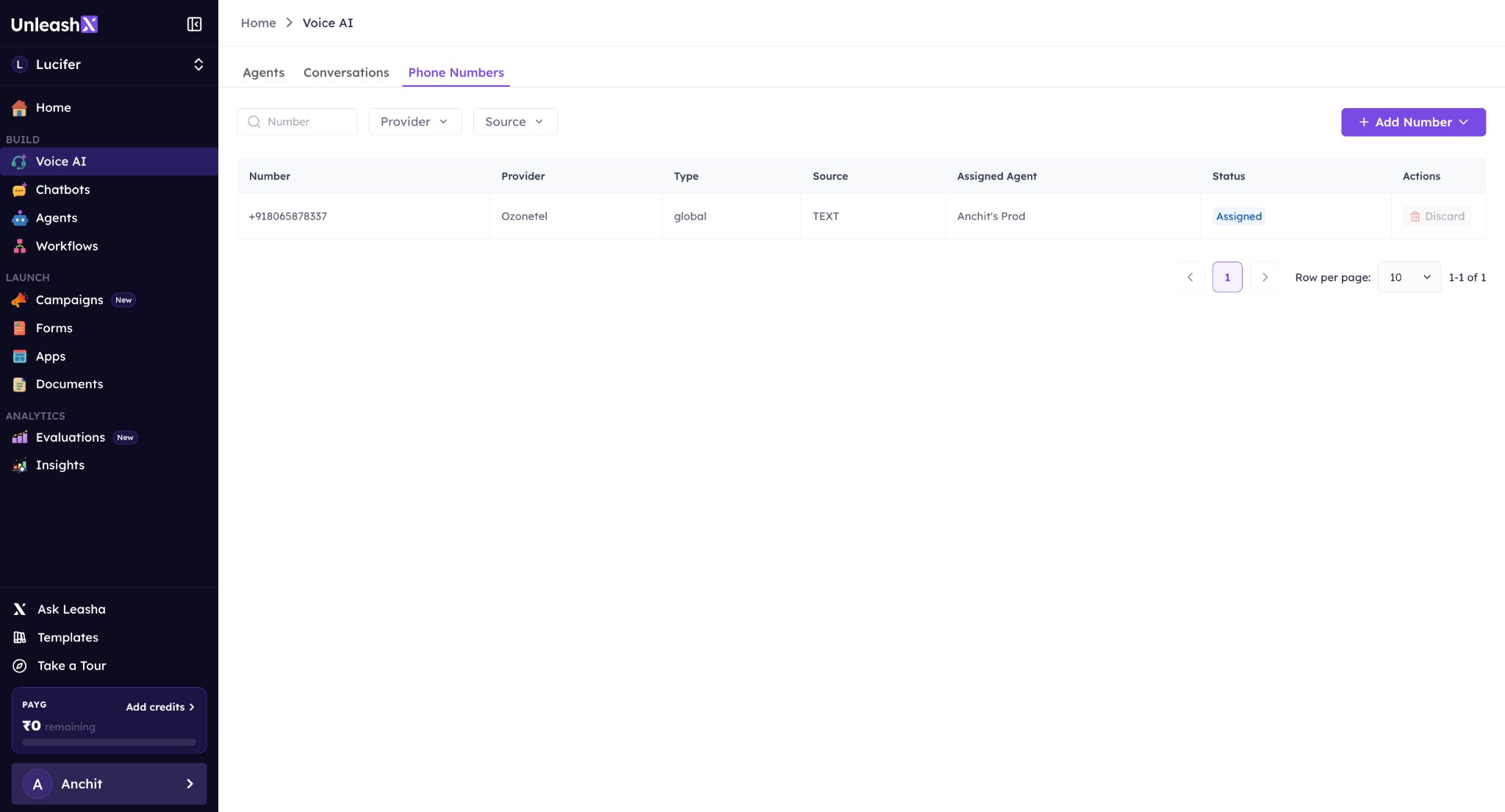
4
Add a Number
Click on Add Number and choose Import Number.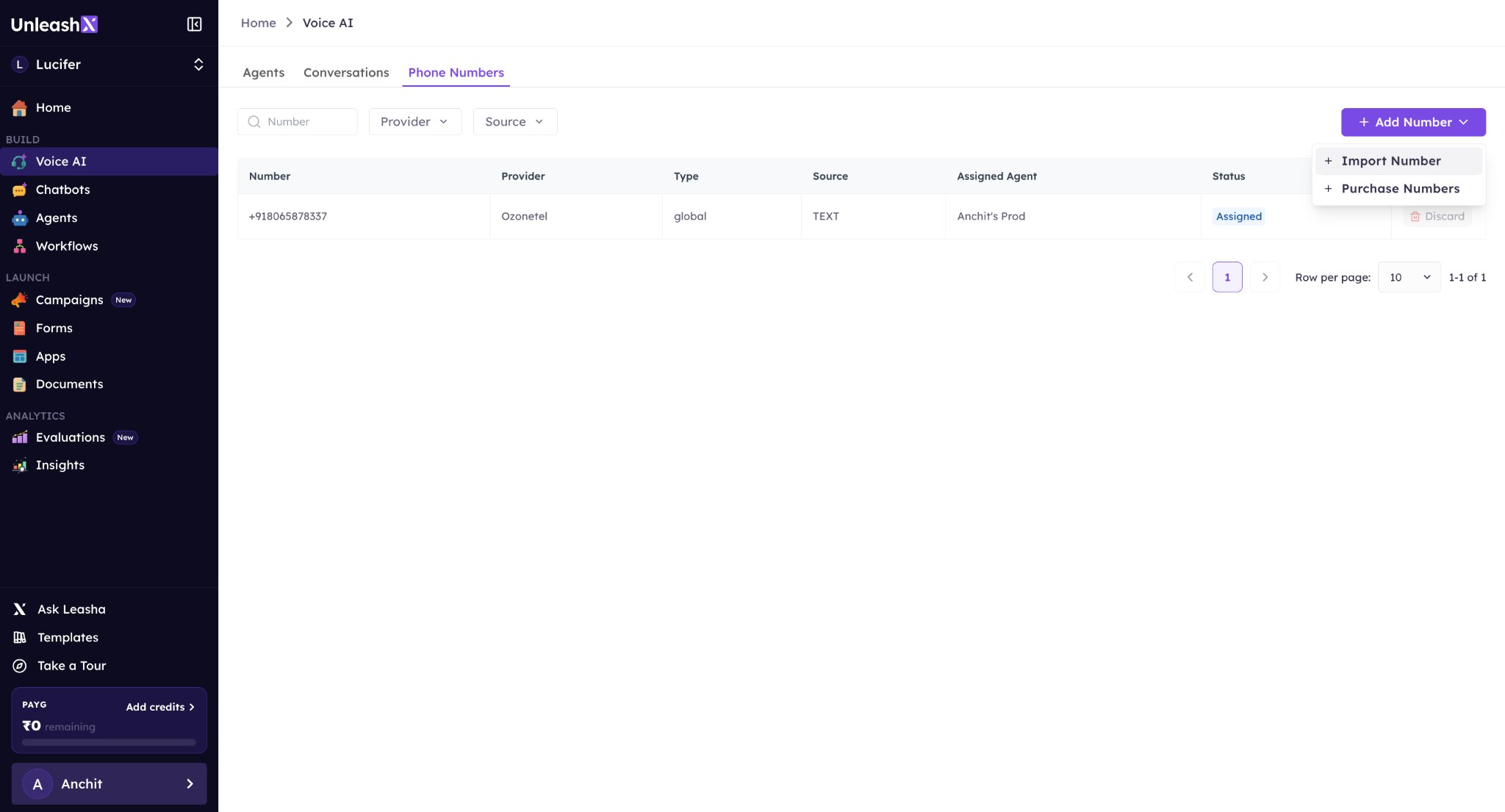
5
Select Twilio
Pick Twilio from the available options and click Continue.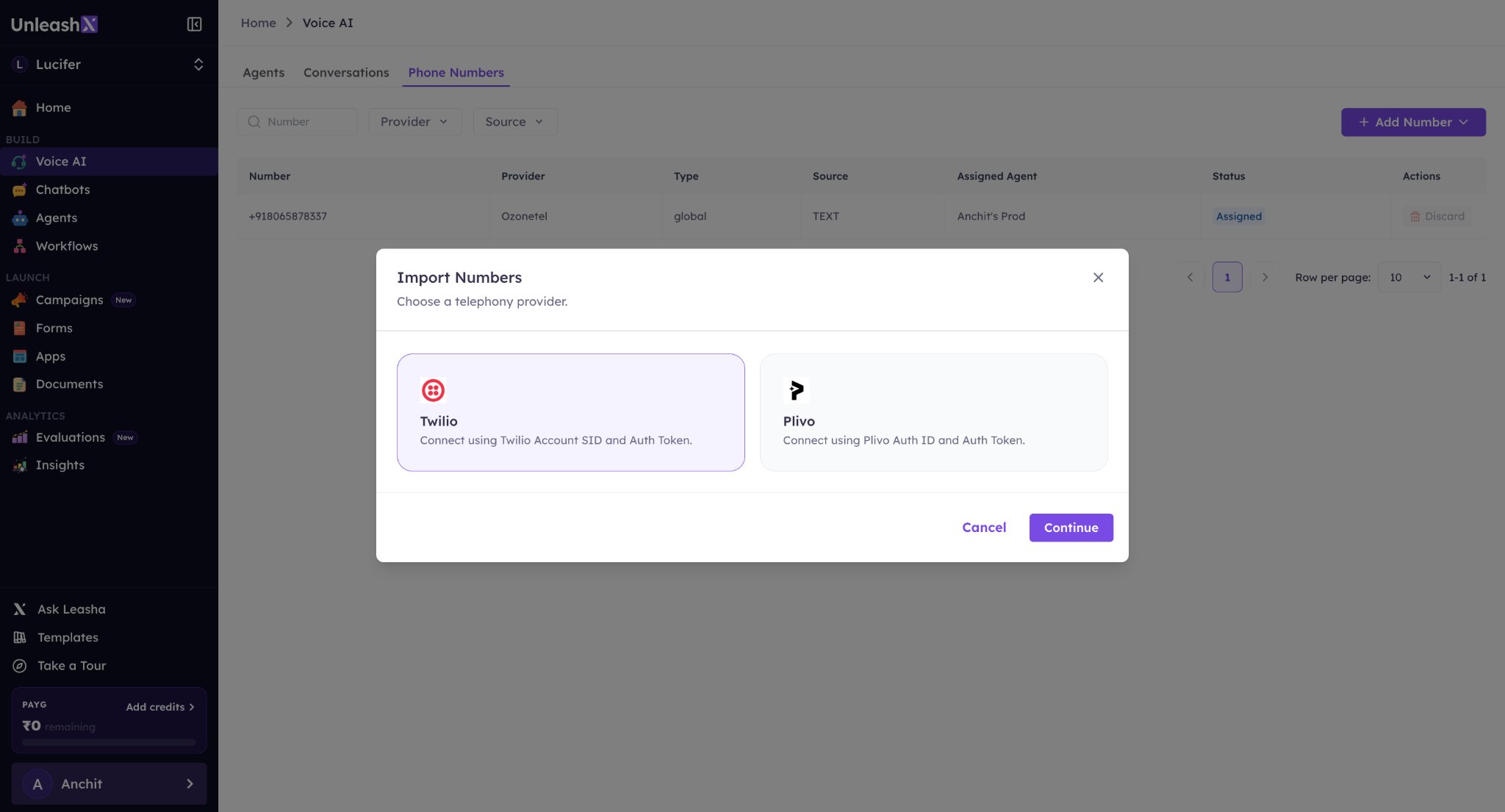
6
Verify Credentials
Enter your Account SID and Auth Token, then click Verify & Proceed.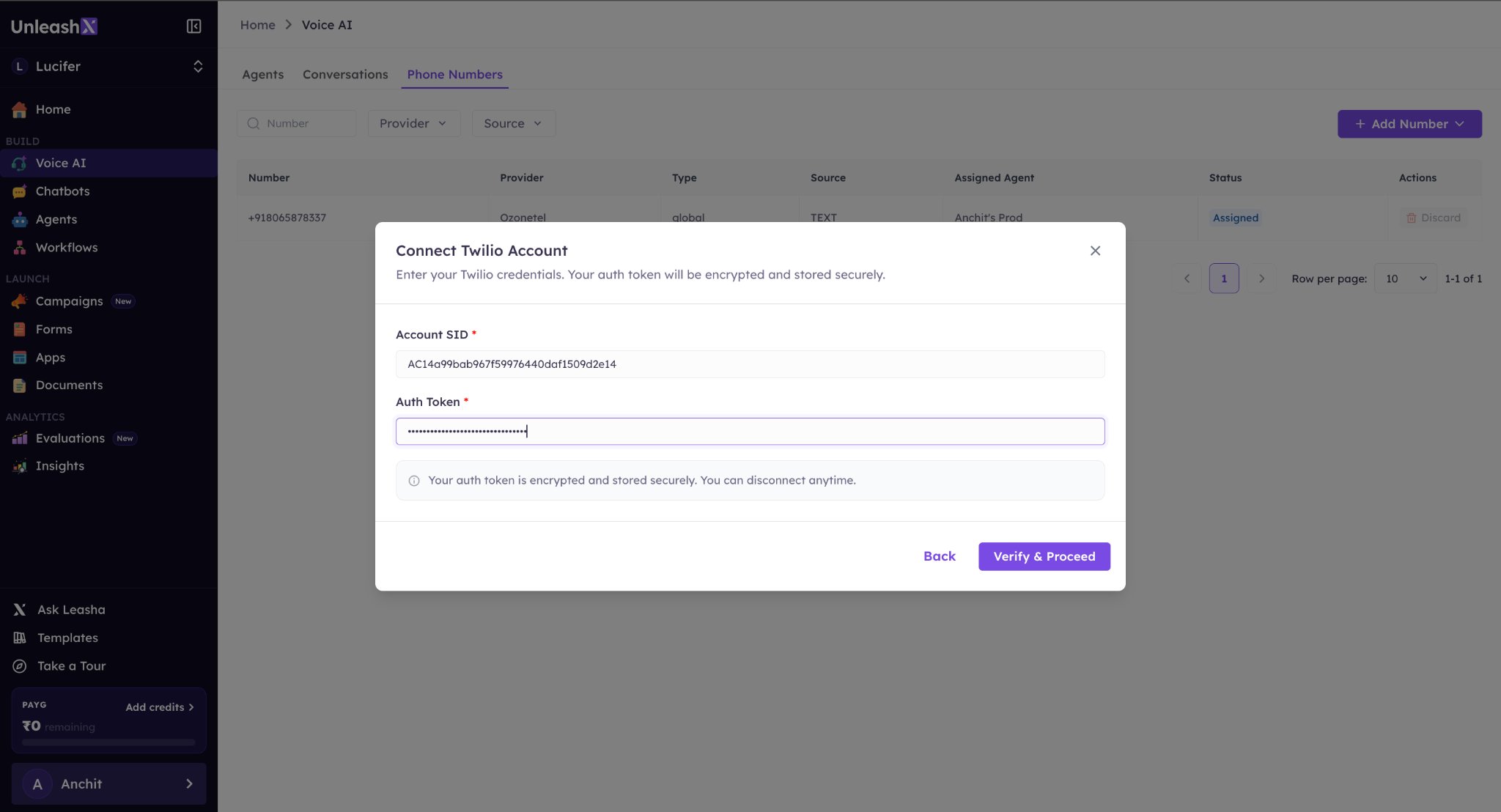
7
Import Number
Select the phone number you want to import and click Import.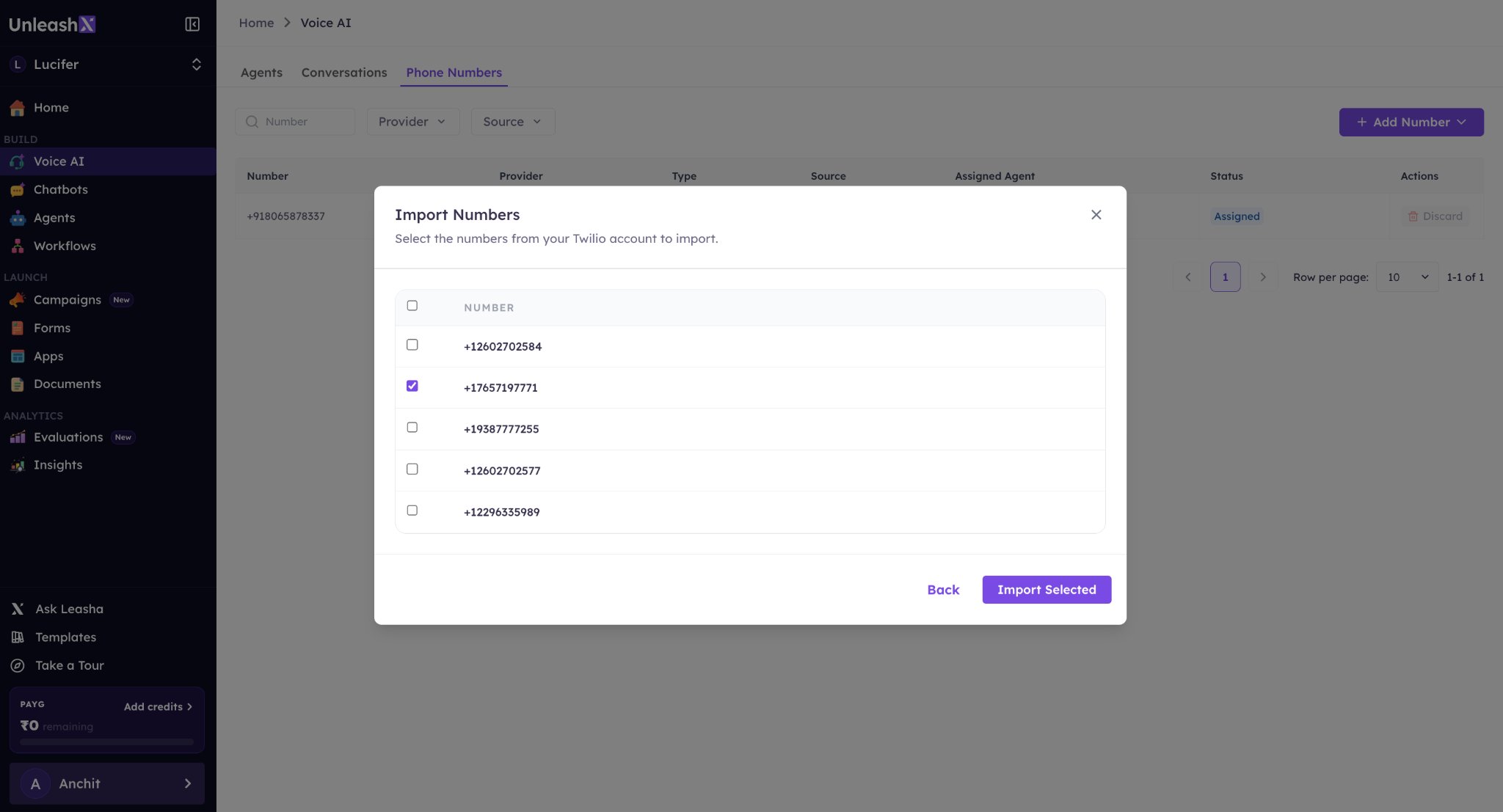
8
Assign to Agent
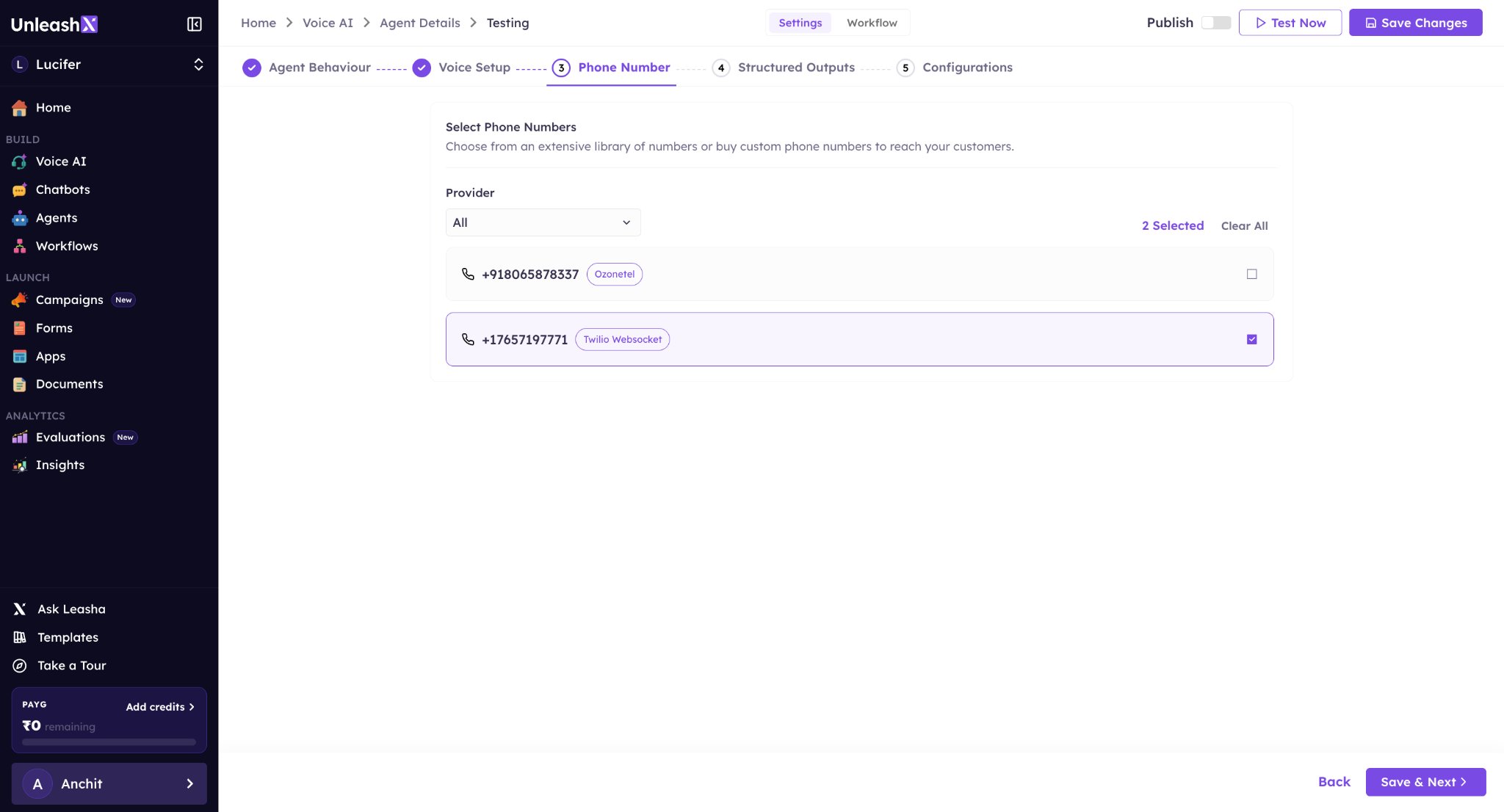
Go to any agent, open the Edit Agent section, and select the imported number. Your agent is now ready to handle calls using that number.